
User data
Topics on this page
- Change e-mail
- Change password
- Change personal data
- Change time zone
- Change language
- Change newsletter subscription
- Change settings for e-mail messages
- Close user account
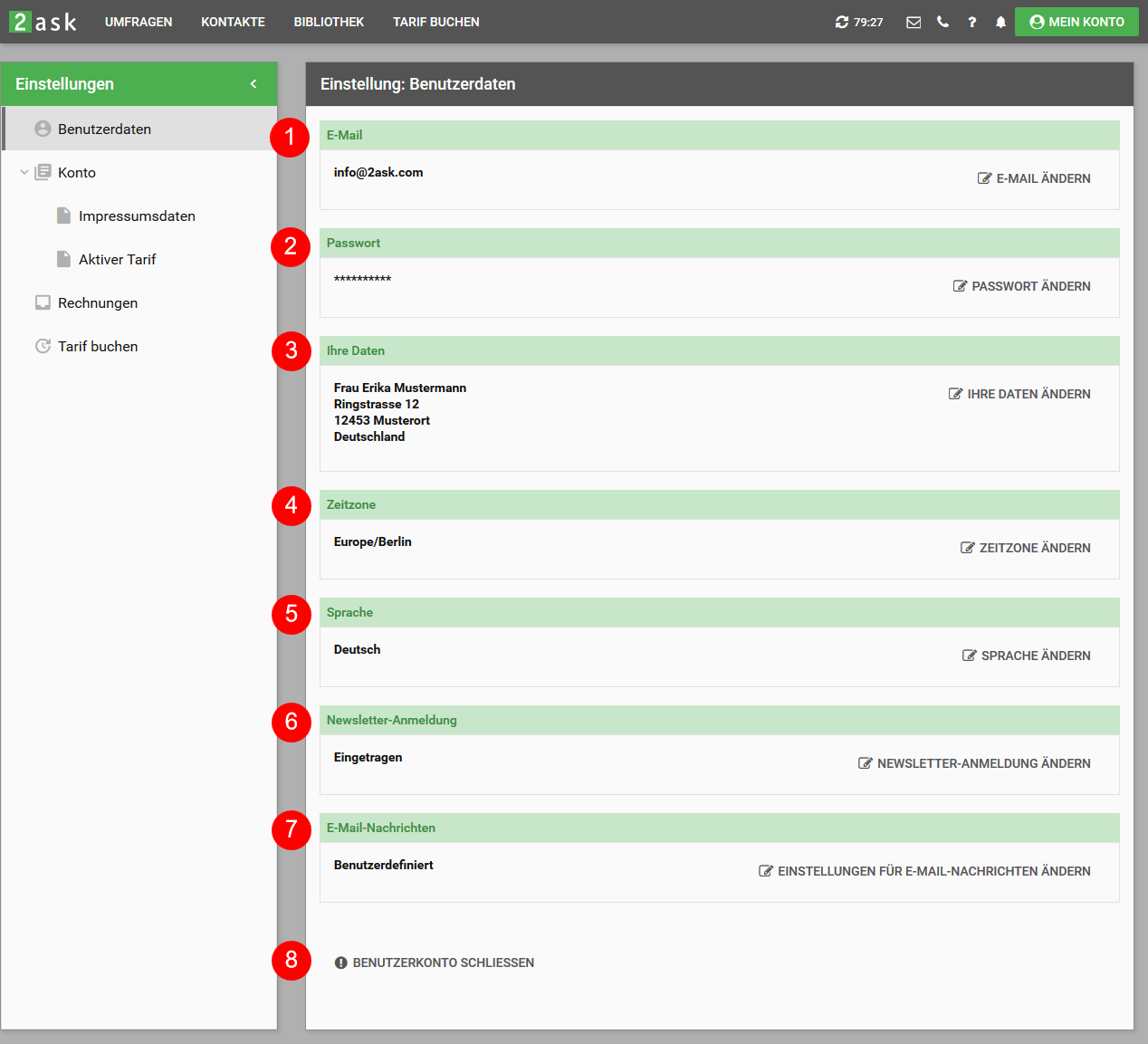
In the "Settings: User data" you have the possibility to view and edit the following data and settings:
#-1 Email
#-2 Password
#-3 Personal data (name, address)
#-4 Time zone
#-5 Language
#-6 Newsletter subscription
#-7 E-mail messages
#-8 Close user account
Change e-mail
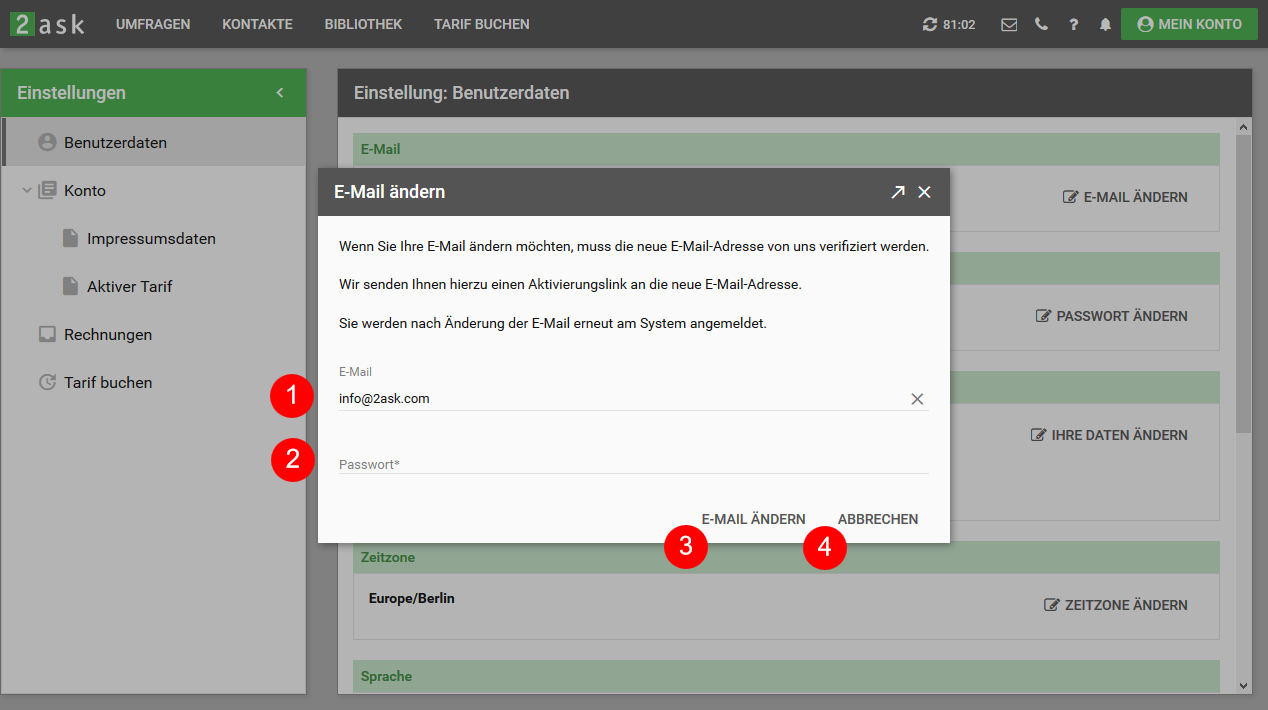
- Enter the new e-mail address in the "E-mail" field (#-1).
- Please enter your current password in the "Password" field (#-2)
- Confirm the change by clicking on "Change e-mail" (#-3)
- By clicking on "Cancel" (#-4) you can cancel this process and exit the "Change email" form
Important: The new e-mail address must be a valid e-mail address that you have access to. We will send you an activation link to this address. The new e-mail address will only be validated and accepted after you click on the activation link.
Change password
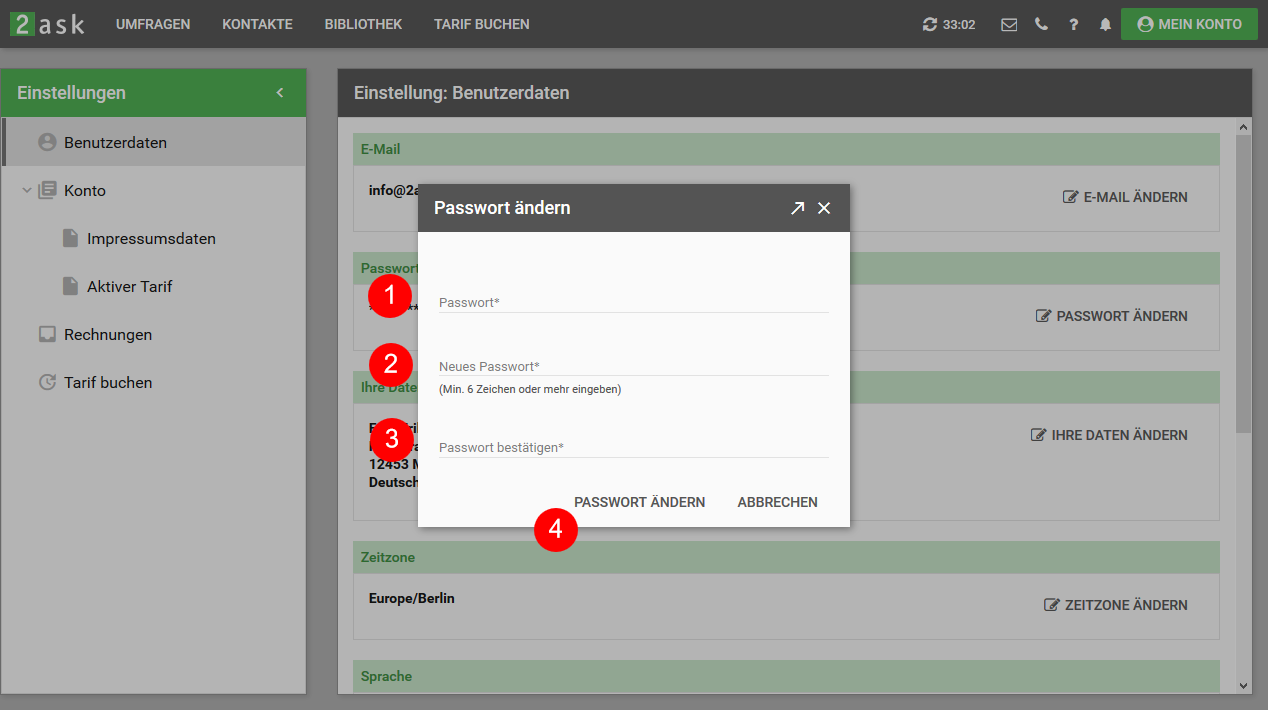
- Enter your current password in the "Password" field (#-1)
- Please enter your new password in the "New password" field (#-2)
- Please enter the new password again in the "Confirm password" field (#-3)
- Confirm the change of password by clicking on "Change password" (#-4)
Please note that the new password must contain at least 6 characters or more.
Change personal data
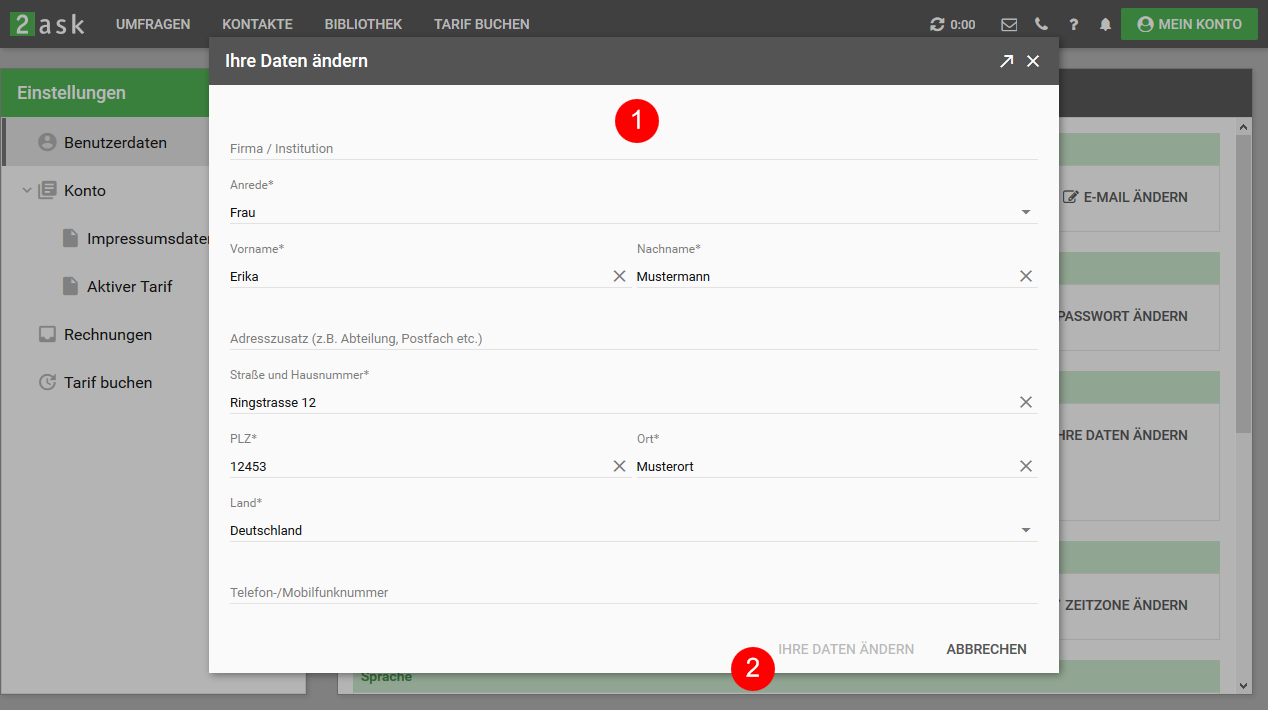
Please change or enter the relevant data in the form (#-1) and confirm your details by clicking on the link "Change your data" (#-2).
Change time zone
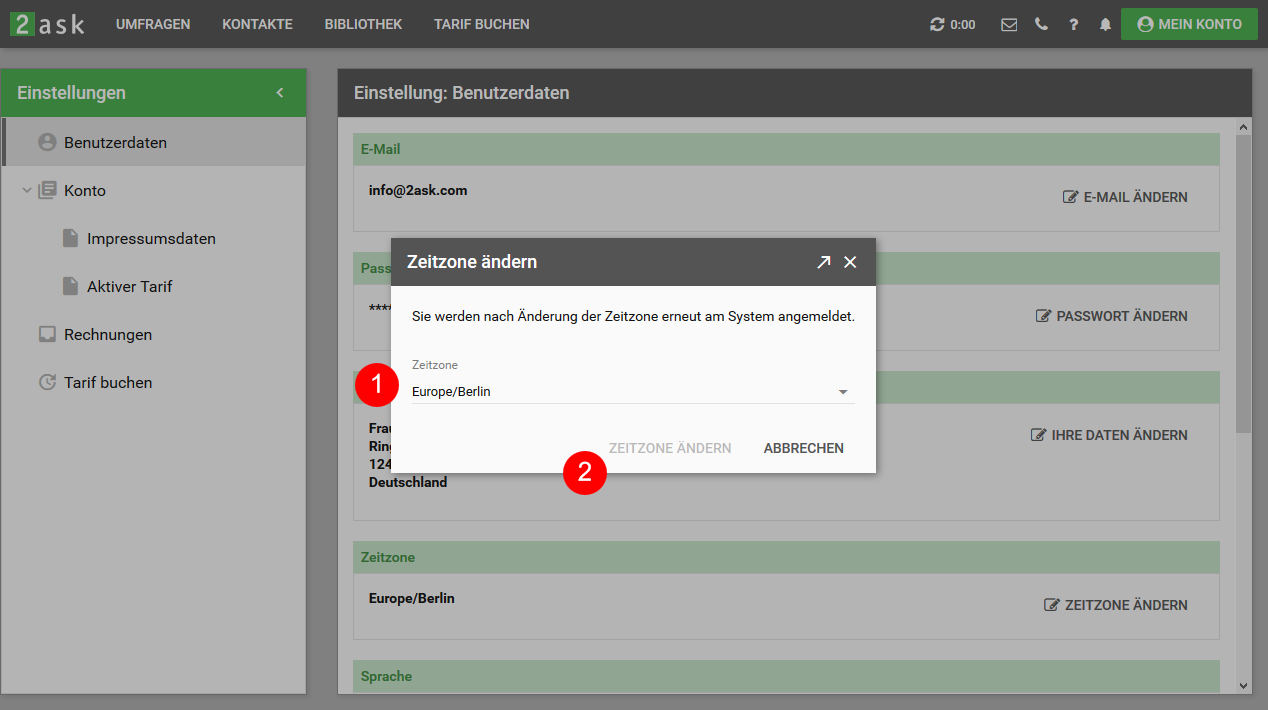
Please select the desired new time zone in the "Time zone" selection box (#-1) and confirm your selection by clicking on "Change time zone" (#-2).
The time zone of your 2ask account is used, for example, for sending invitation emails, the survey period and the date display in the results.
In order for the new time zone to become active, you will be logged into the system again after confirming the new time zone.
Change language
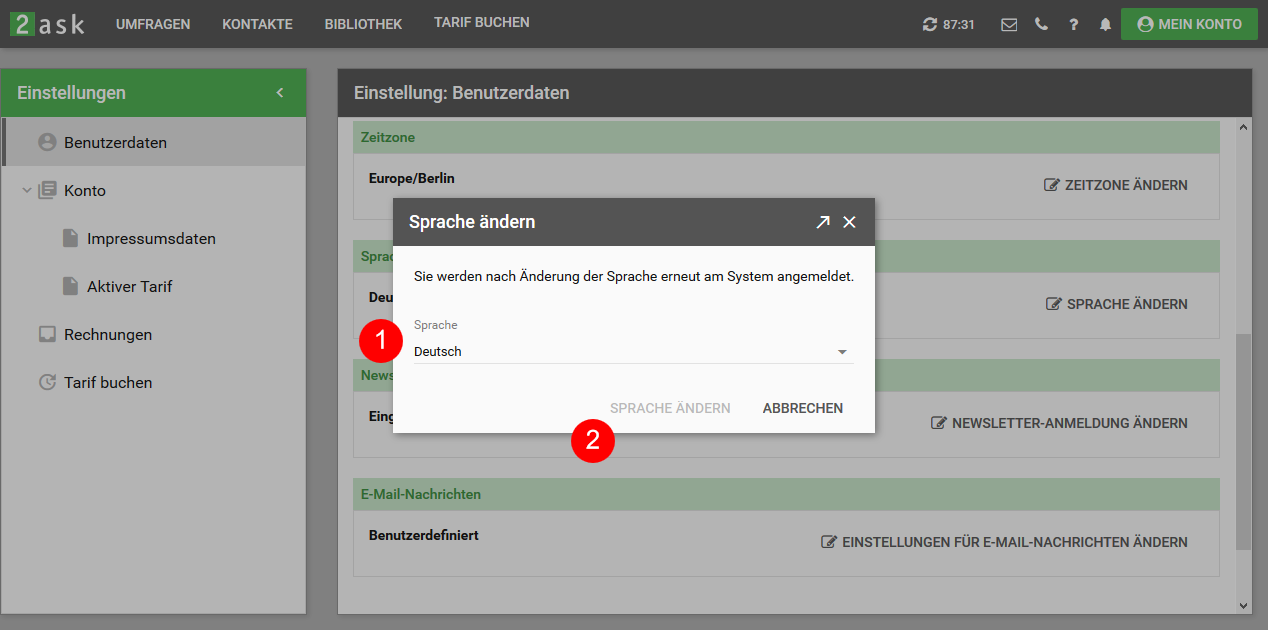
Please select the desired new language in the "Language" selection box (#-1) and confirm your selection by clicking on "Change language" (#-2).
To activate the new language, you will be logged into the system again after confirming the new language.
Change newsletter subscription
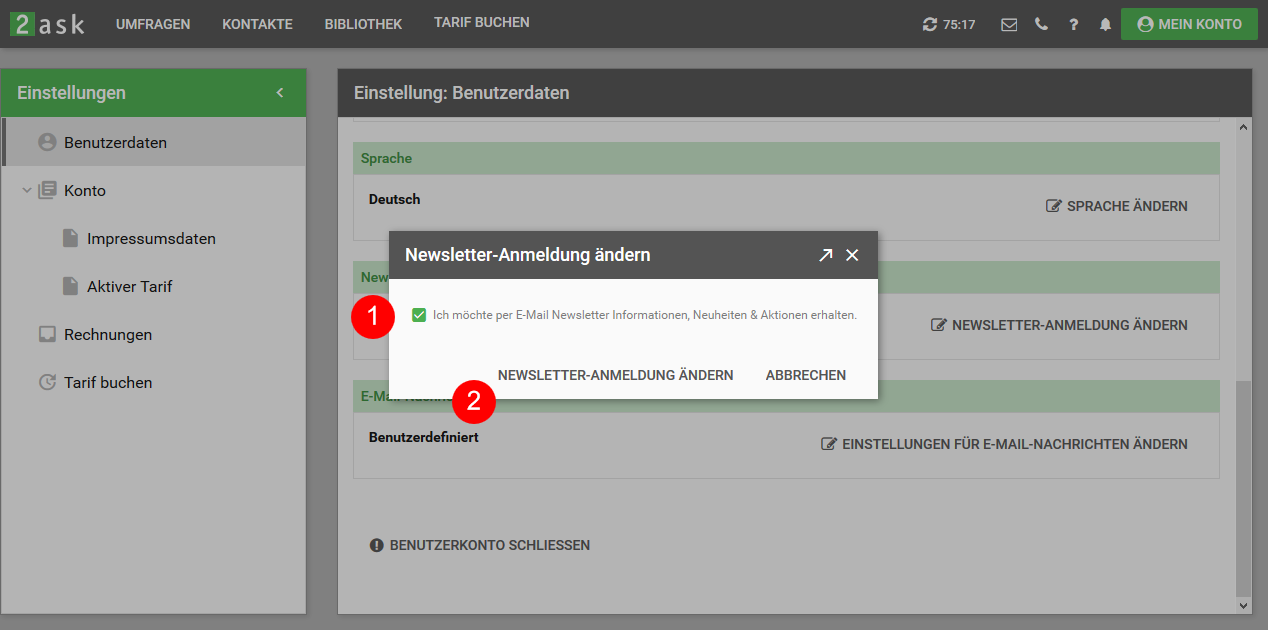
Please change the status of the checkbox "I would like to receive information, news & promotions by e-mail newsletter" (#-1) and confirm your selection by clicking on "Change newsletter registration" (#-2).
Change settings for e-mail messages
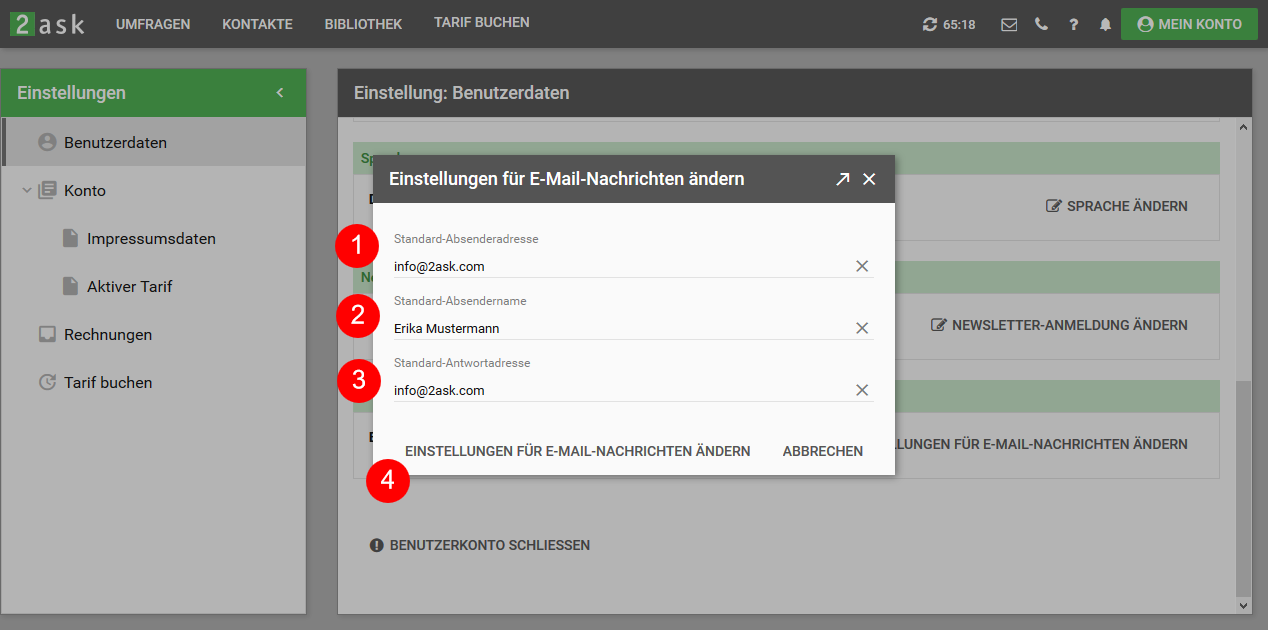
You have the option of sending e-mail messages to the participants of your surveys. Here you can change the following settings for these emails:
- Default sender address #-1
- Default sender name #-2
- Default reply address #-3
Then confirm your entry by clicking on "Change settings for e-mail messages" (#-4).
If the "Default sender address" field is left blank, the address "noreply@2askmail.com" is assigned as the sender address.
Close user account
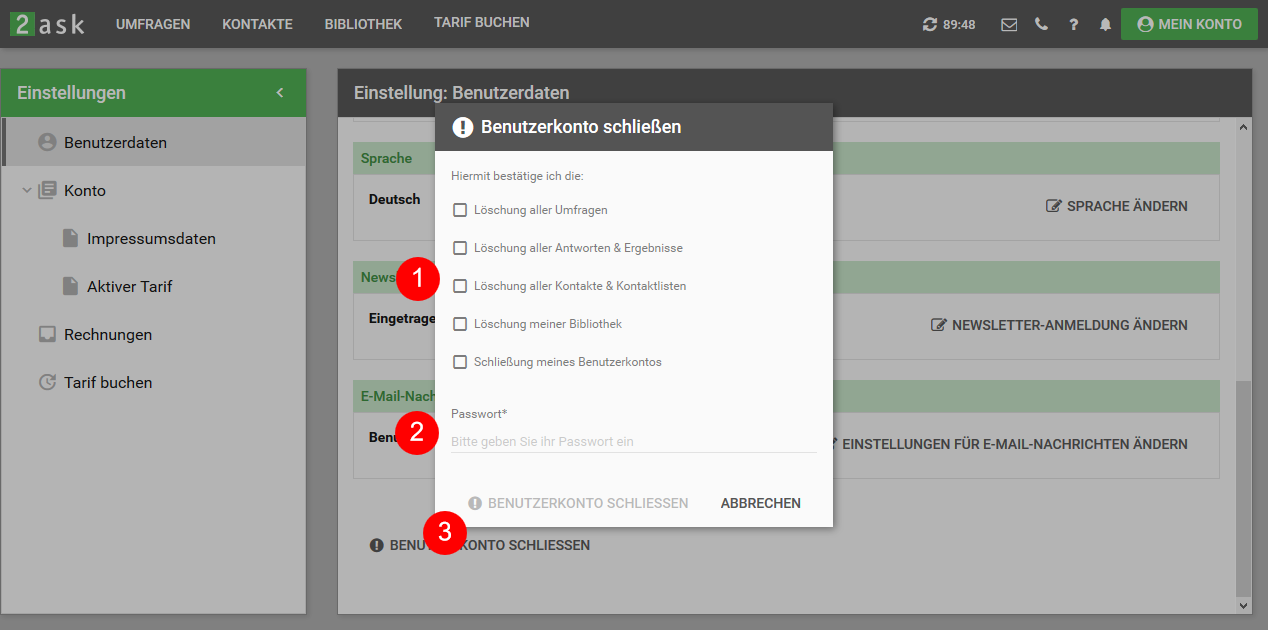
At this point you have the option of closing your user account.
Before doing so, please confirm the deletion of all survey, response, contact, library and user account data (#-1).
Then enter your password (#-2) and complete the logout process by clicking on "Close user account" (#-3).
You will then receive an e-mail confirming the closure of your user account.
Do you find this article helpful?


 Germany
  Switzerland
  Austria
  Liechtenstein
  International